A DIY batch image processing tool with configurable workflows.
Qudo Tool — A batch image processor with customizable, visual workflows. Runs 100% locally. Open source coming soon.
I’ve been frustrated with image processing for a long time.
Every time I get a batch of images, the workflow is pretty much the same: crop to a fixed size, adjust brightness, add a watermark in the bottom-right corner, and finally compress and export. Sounds simple enough, but it becomes a headache when you have a lot of images.
Using Photoshop? You can record Actions, but they fall apart if the workflow gets slightly complex, and you have to re-record everything if you change the order. Writing scripts? Sure, Python can do the job, but you have to set up the environment on every new machine. Plus, if you want to change the workflow, you have to modify the code. After a while, you can’t even remember what you wrote.
I’ve tried online tools too, but I’m never comfortable uploading images one by one. It feels risky, especially when some of them are work-related.
So I thought, why not build a tool where I can assemble the processing workflow like building blocks, save it, and just drag in a batch of images next time to let it run automatically?
And that’s how this tool came to be.
How to use it
When you open it, you’ll see various processing nodes on the left and a canvas on the right. Just drag the nodes you need onto the canvas and connect them to create a workflow.
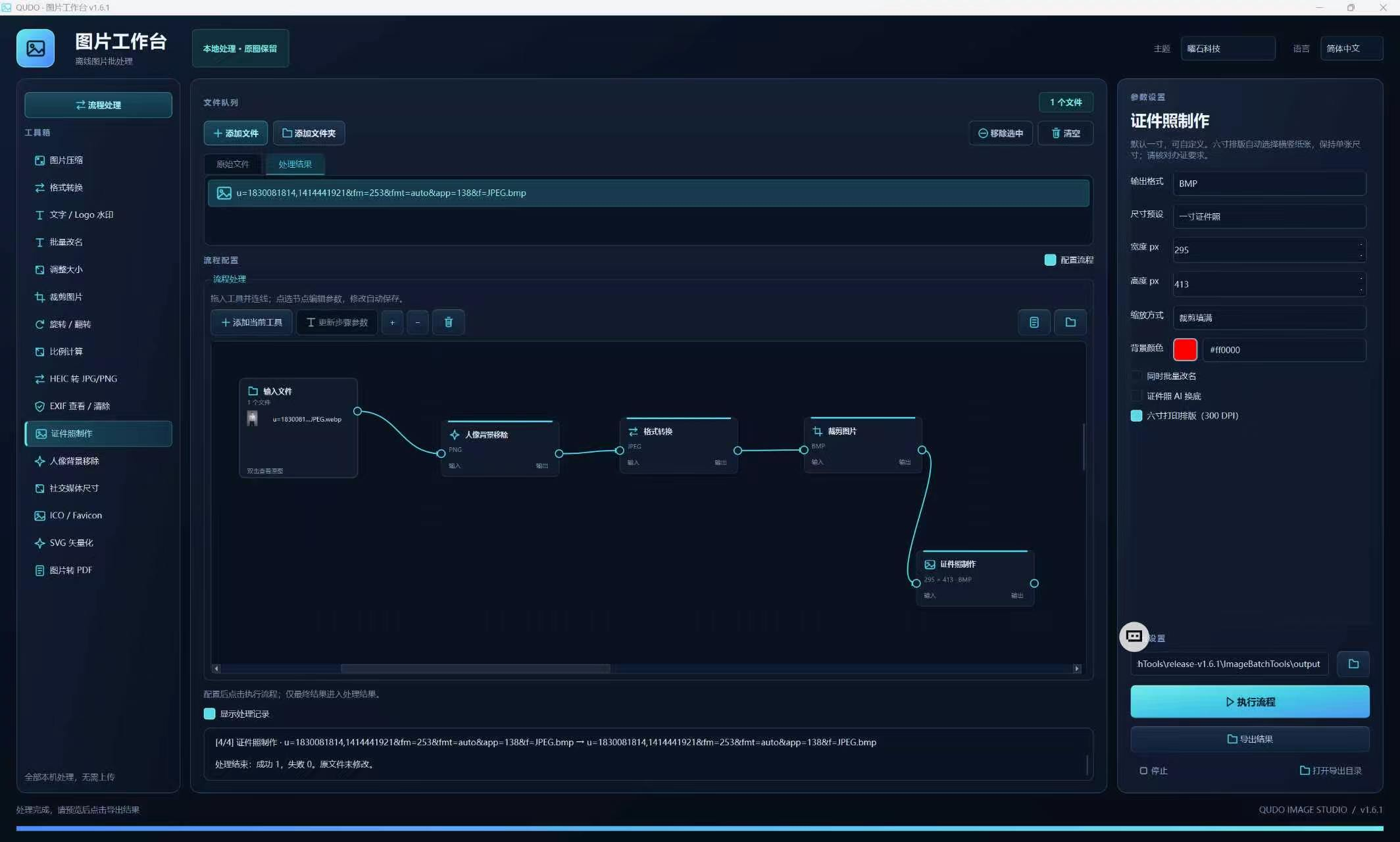
For example, my go-to workflow is: Load Images → Crop to 800x800 → Adjust Brightness → Add Watermark → Compress to 200KB → Export as WebP
Once connected, save it as a template. Next time, just load the template, drag in your images, hit execute, and wait for it to finish.
The number of supported nodes isn’t huge yet, but it covers the basics: cropping, resizing, rotating, color adjustment, watermarking (both text and image), format conversion, compression, and batch renaming. I’ll add more as needed.
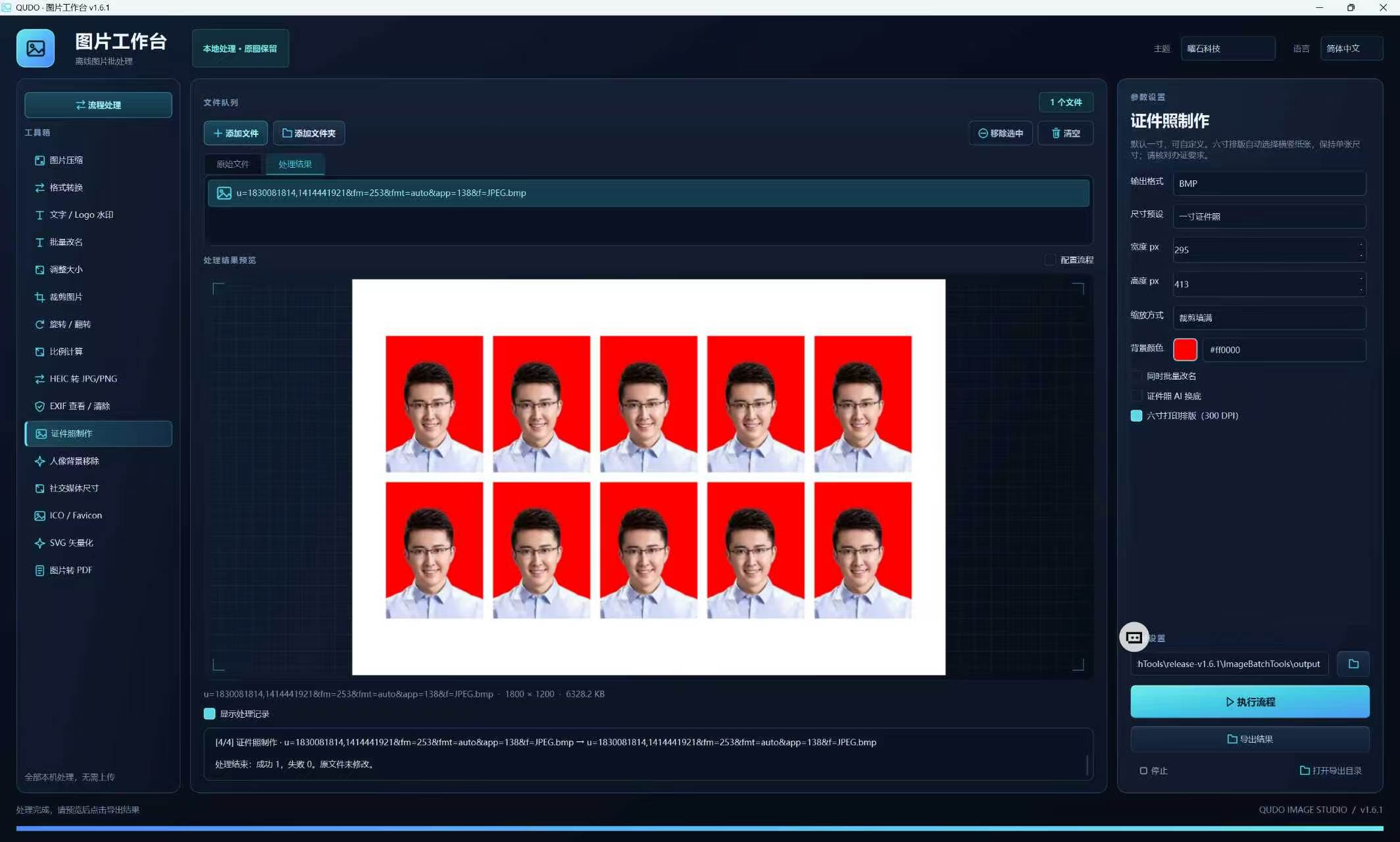
A few things I care about
Runs entirely locally. This is non-negotiable. All processing happens on your machine. No internet connection, no uploads, no account registration, and no forms to fill out. Your images come from your hard drive, get processed, and go back to your hard drive—never passing through any server.
Workflows are savable. Your configured workflows are saved as local files. You can open them directly next time without rebuilding. Moving to a new computer? Just copy the config files over.
Open Source. I’m currently cleaning up the code and finishing the documentation before releasing it. Open source means transparency, and I welcome feature requests or bug reports from the community.