Why I built a free, offline PDF tool
Tired of being forced to upgrade to VIP just to add a watermark, sign a document, or convert a file format? Qudo PDF Tools is a completely free, open-source, and offline PDF desktop application. Built with a strict "local-first" philosophy, all file processing happens entirely on your device—no files are ever uploaded to any server, ensuring maximum data privacy and security. Leveraging AI-assiste
Fed up with PDF software constantly pushing "Premium Memberships"?
So was I! Need to add a watermark? VIP. Want to sign a document? VIP. Even just converting a format? VIP. Since nobody was making a clean, straightforward tool, I decided to build one myself. Check out the screenshot below—this is the constant "Upgrade to Premium" nagging I got while using a certain popular PDF software
With the rise of AI, I realized that core engine code I wouldn't have dared to write before is totally doable now—as long as you have enough Tokens. After getting completely annoyed by all the paywalls, I decided to hand-code this myself. I did build an online version first, but I know many people worry about security when processing files online. Even though my online version processes everything locally in the browser using JS (no files are ever uploaded to the cloud), I figured an offline app would be even better. So, in my spare time, I let AI help me with the vibe coding. I started with Qwen. Don't get me wrong, our local models aren't bad, but it was a bit long-winded and sometimes got things wrong. Eventually, I switched to ChatGPT. Both are great, but ChatGPT was definitely more efficient. The only downside? My Plus quota ran out fast, and I had to wait 5 hours for it to reset! But hey, it’s finally done. A buddy tried it out and reported an issue, which I fixed with care. Honestly, seeing others enjoy using it makes me happy, haha. Here’s the main interface (it supports both Chinese and English!):
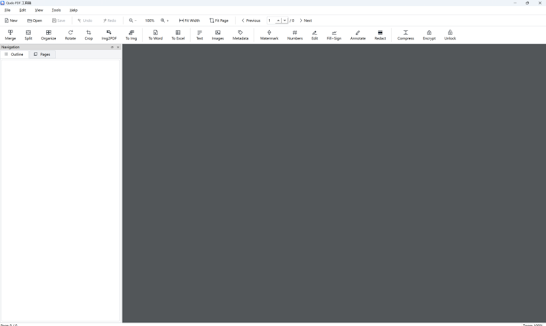
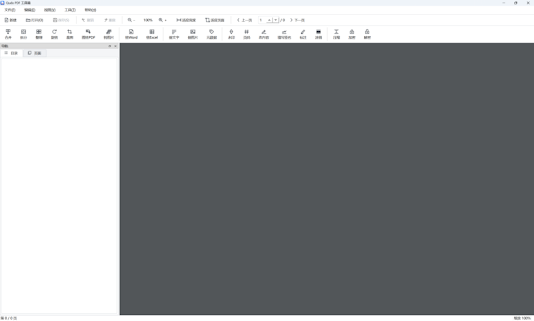
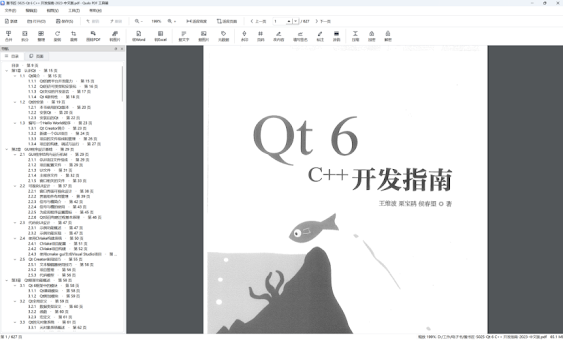
Check out the viewer page—it’s super convenient. If you just need to view PDFs, it works just as smoothly as any mature software out there.
You can download it and check out the source code on GitHub: main Page: Qudo Tools Github: https://github.com/xuejiazhi-qudo/qudo-pdf-tools
blogger:https://qudo-tools.blogspot.com/2026/11/why-i-built-free-offline-pdf-tool.html