Offline open-source tools
Qudo JSON toolbox
A fully offline JSON desktop toolkit for editing, validation, comparison, querying, and conversion.
A fully offline JSON desktop toolkit for editing, validation, comparison, querying, and conversion. JSON Workbench brings common JSON tools into one desktop application. Work with multiple documents, explore nested structures, compare API responses, run JSONPath queries, validate schemas, and generate test data—all locally on your computer.
- Platform
- win10,win11
- Version
- v0.0.1
- License
- https://github.com/xuejiazhi-qudo/JSONWorkbench/blob/main/LICENSE
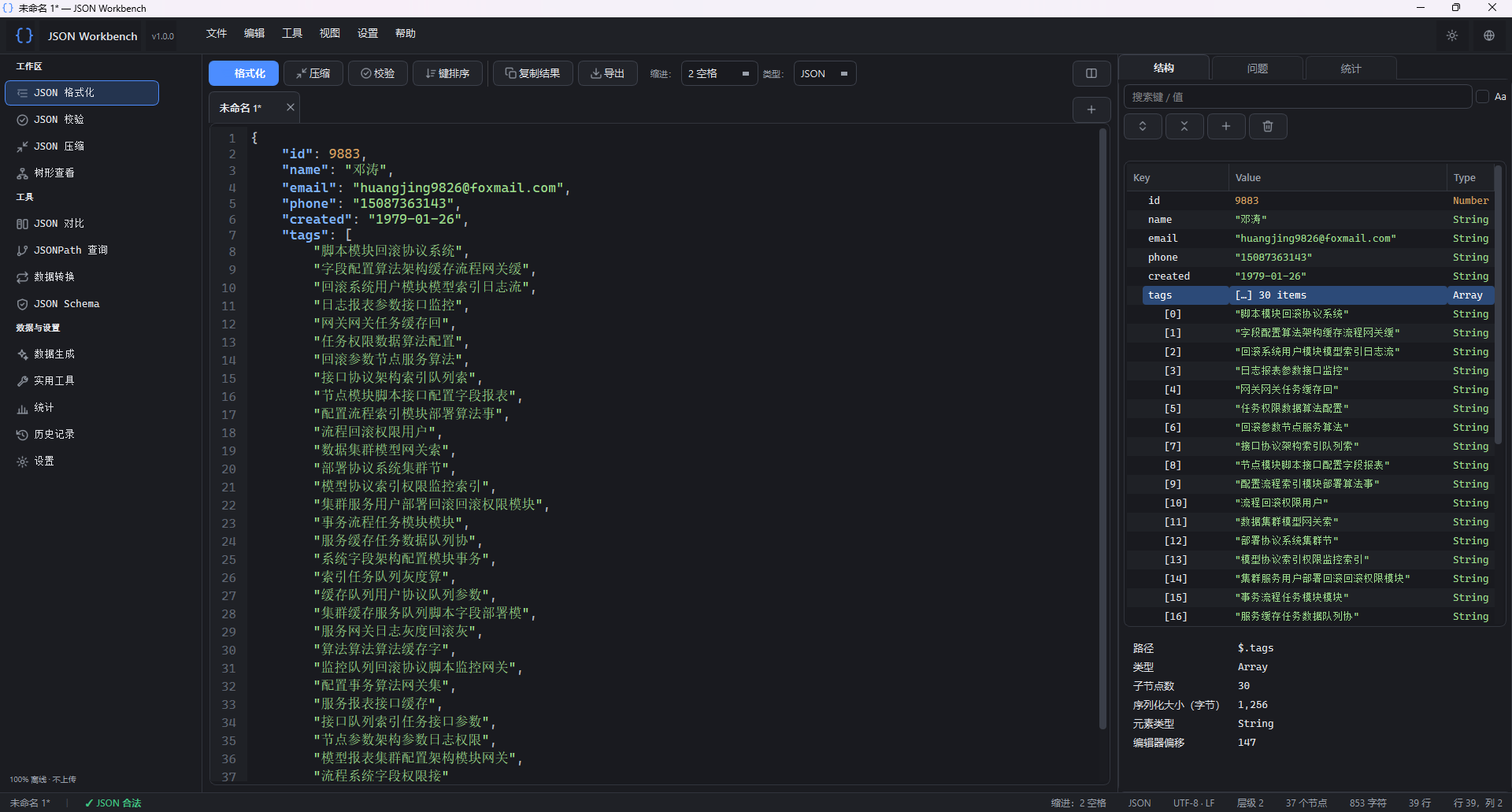
No account required. No uploads. No telemetry. JSON content is excluded from saved history by default.
Built with Python and PySide6. The current version is 1.0.0, packaged for Windows 10/11. The source is designed for cross-platform use, but macOS and Linux have not been verified for this release. Contents
- Features
- Getting Started
- Data Handling and Privacy
- Limits and Compatibility
- Keyboard Shortcuts
- Development and Testing
- Building a Windows Portable Package
- Project Structure
- Dependencies and Licensing Features Tool Capabilities Editor Movable tabs, syntax highlighting, line numbers, bracket matching, auto-indent, bracket completion, and unsaved-change indicators. Format and Minify Choose 2, 4, or 8 spaces, tabs, or compact output. Preserve number literals such as 1.230, 1e5, -0, and large integers. Sort Keys Sort alphabetically without case sensitivity or by Unicode order, with optional recursive sorting and explicit array sorting. Syntax Validation Locate errors by line, column, and offset. Review fixes before applying them, and detect duplicate keys and numeric precision risks. Tree Viewer Create nodes on demand, search keys and values, copy JSONPath expressions, inspect node properties, and edit supported documents. JSON Diff Compare structure and types while distinguishing key reordering from data changes. Match arrays by index, set, or key field, and export Markdown, HTML, or JSON reports. JSONPath Use child selectors, wildcards, recursive descent, negative indexes, unions, slices, filters, regular expressions, and functions. Locate results in the tree or editor when offsets are available. Data Conversion Convert between JSON and CSV, XML, or YAML. Escape and unescape strings, unwrap stringified JSON, split arrays, merge documents, and remove duplicates. JSON Schema Import or paste local schemas, infer schemas from documents, validate common draft-07 and 2020-12 keywords, and export reports. Statistics Inspect node and type counts, nesting depth, key reuse, string and array sizes, numeric summaries, size hotspots, and structural patterns. Utilities Find duplicate keys, empty values, and matching keys or values; split arrays into files and analyze document structure. Data Generation Generate objects from field definitions or schemas. Create mock names, email addresses, dates, UUIDs, and more, with seeded output for reproducibility. History Review recent files, formatting actions, queries, and schema checks. Restore accessible files or explicitly saved content.
The interface supports Simplified Chinese and English, light and dark themes, high-DPI displays, and saved window and splitter positions. Simplified Chinese is the default language. Editing and File Support
- Drag files into the window or tab bar. Open, save, and use Save As.
- Automatically detect UTF-8, UTF-8 with BOM, UTF-16, and GB18030, while preserving LF or CRLF line endings.
- Find and replace plain text or regular expressions, including capture-group replacements.
- Detect JSON documents wrapped inside JSON strings and unwrap multiple encoding layers.
- Undo text changes, including formatting, sorting, and tree edits.